Qi Addons for Elementor Premium Review: 100+ Widgets That Actually Deliver
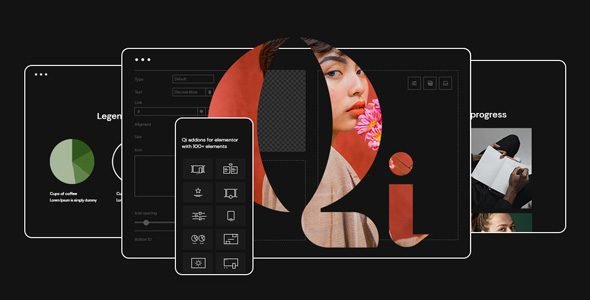
I spend a lot of my working hours inside Elementor. Between client projects and the themes and plugins I review here at Weadownn, I live in that editor more than anywhere else on a WordPress site. So when I say I have a strong opinion on Elementor addon suites, I mean it — I’ve tested more of them than I care to count, and most disappoint in one of two ways: they’re either so lightweight that you outgrow them in a week, or they’re so bloated that your PageSpeed scores take a visible hit just from having them active. Qi Addons for Elementor Premium, developed by Qode Interactive, is the first addon suite in a long time that genuinely impressed me in both directions.
TL;DR
Qi Addons for Elementor Premium by Qode Interactive is one of the most well-rounded and design-forward Elementor addon plugin suites available right now. The free version alone offers 60+ quality widgets, but the premium tier unlocks 100+ total widgets spanning typography, business, creative showcases, infographics, WooCommerce, SEO, and form styling. The on-demand widget loading keeps performance tight. Pricing starts at $49/year for a single site. Best suited for designers, agencies, and developers who want expressive, high-quality widgets without bloat. Highly recommended if Elementor is your primary page builder.
Who Is Qode Interactive and Why Does It Matter?
Before I get into the plugin itself, I think it’s worth knowing who built it. Qode Interactive is an award-winning WordPress theme and plugin author with a long track record on ThemeForest. They’re not a newcomer trying to cash in on the Elementor addon market — these are people who have spent years building premium themes and know what makes a WordPress product reliable, well-coded, and design-forward. That pedigree shows clearly in every widget inside Qi Addons for Elementor Premium. The attention to aesthetic detail and the cleanliness of the code both reflect a team that has shipped serious WordPress products for a long time.
Getting Started: Free First, Then Premium
I originally installed the free version of Qi Addons from the WordPress plugin repository when I was building a portfolio site for a photography client. The free tier ships with 60+ widgets and, honestly, it’s better than most paid Elementor addon plugins I’ve tried. I used it for about three months across two client projects before I upgraded to the premium version, and that real-world progression shaped my perspective on both tiers.
Upgrading to premium unlocks an additional 40+ widgets, bringing the total to 100+ custom Elementor widgets. Installation of the premium plugin is standard — download the zip, install through the WordPress admin, activate, and license. The upgrade was seamless and all my previously built pages retained their layouts without any compatibility issues, which is not something I can say confidently about every plugin upgrade.
The Widget Library: Organized, Deep, and Design-Intelligent
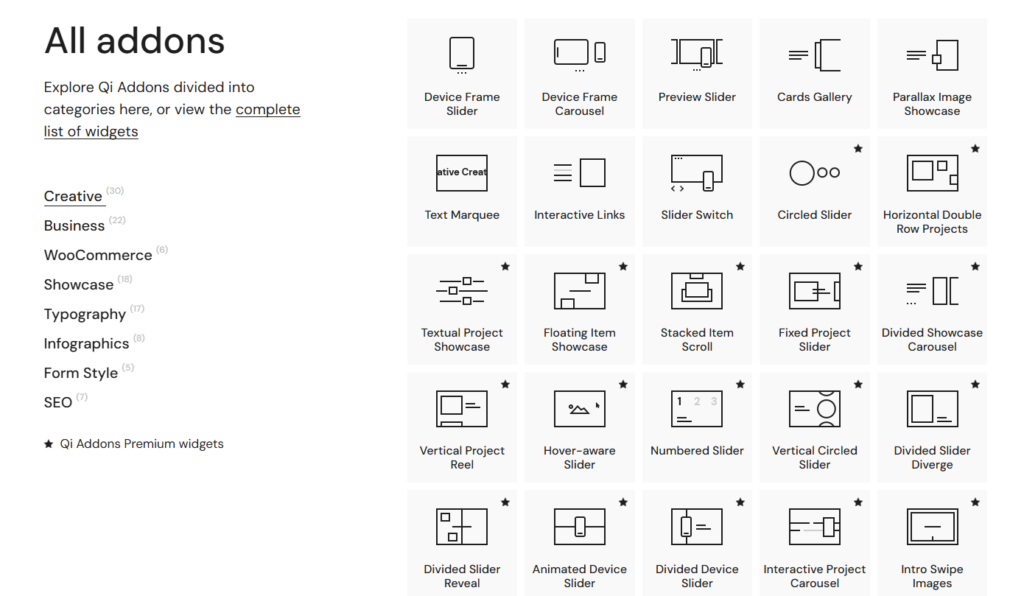
What separates Qi Addons from most competitors is how deliberately organized and aesthetically intentional the widget library is. Rather than dumping generic components into a sidebar, Qode Interactive has grouped their widgets into meaningful categories: typography, business, creative showcase, infographics, WooCommerce, SEO, and form styling. Each category feels purposeful and you can find what you need without scrolling through 200 vaguely named elements.
The typography widgets are particularly impressive and something I don’t see other addon suites prioritize. Animated text, highlighted text, gradient text, and a premium button widget with SVG-based illustration options gave me tools to create typographic moments on pages that previously required custom CSS or JavaScript workarounds. For a project I was building alongside a visually demanding theme (similar in ambition to something like X – The Ultimate WordPress Theme), having native Elementor widgets that matched the design ambition of the theme was a significant time saver.
The creative showcase widgets — advanced sliders, carousels, project galleries with hover effects, and interactive image banners — are where the premium tier really earns its price. I used several of these for a creative agency portfolio project, and the output looked genuinely custom without a single line of JavaScript written by me. Specifically, the Horizontal Double Row Projects widget and the Hover-Aware Slider produced layouts that a client had previously been told would require a bespoke development budget.
WooCommerce Widgets: More Than Cosmetic
If you’re building eCommerce sites with Elementor, the WooCommerce widget category inside Qi Addons Premium adds meaningful functionality. Beyond typical product grids and carousels, the premium tier includes a product comparison widget and an order tracking form widget — two features that directly address customer UX pain points and conversion barriers. I’ve built WooCommerce stores where I had to source these features from separate plugins; having them integrated into an addon suite I was already using simplified the stack considerably. For context, if you’re running a WooCommerce-heavy operation and want to understand how complementary plugins fit together, I’ve also covered Extra Product Options & Add-Ons for WooCommerce on Weadownn, which pairs well with a polished storefront built using Qi Addons widgets.
The product badge widget, the product bundle display element, and the image optimization integration (which lets you convert image file formats and reduce file sizes directly) round out a WooCommerce toolkit that goes deeper than most competing addon plugins bother to go.
Performance: The On-Demand Widget Loading Feature
Performance is where I apply the most scrutiny to any Elementor addon suite because the genre has a notorious reputation for page bloat. Qi Addons handles this with an on-demand widget loading system — only the widgets you actually use on a given page are loaded for that page. This means activating all 100+ widgets doesn’t translate to 100+ widget assets loading on every page of your site. In my testing on a mid-range shared hosting environment, pages built with Qi Addons Premium scored consistently in the low-to-mid 80s on Google PageSpeed Insights for mobile and mid-to-high 80s on desktop, which is competitive with much leaner setups. The codebase is described as superlight by the developers, and from my performance testing, that claim holds up in practice.
SEO Widgets: A Genuinely Useful Differentiator
Most Elementor addon suites ignore SEO as a widget category entirely. Qi Addons includes dedicated SEO widgets — structured data elements, breadcrumb displays, and semantic markup-aware components — that help pages communicate content hierarchy to search engines more effectively. As someone who builds sites where organic visibility matters, having these baked into the design layer rather than bolted on through a separate plugin is a notable advantage. I’ve worked with dedicated SEO plugins like Rank Math and Yoast alongside Qi Addons without any conflicts.
The Demos: 150 Options With Qi Theme
If you pair Qi Addons Premium with the Qi Theme from the same developer, you get access to 150 website demos across a wide range of niches — business, portfolio, eCommerce, blog, creative, and more. Even if you’re using a different theme (Qi Addons works with any Elementor-compatible theme), the demos serve as excellent design references and starting points. For comparison, I’ve worked with similarly positioned multipurpose themes on Weadownn like Avas Elementor Multipurpose WordPress Theme and The7 – Ultimate WordPress WooCommerce Theme, and the Qi ecosystem’s demo quality stands up well against the best of them.
Pricing: Fair for What You Get
Qi Addons for Elementor Premium starts at $49 per year for a single site. An unlimited site plan is also available for agencies and developers who need to deploy across multiple client projects. At $49 for a single site, you’re getting 100+ thoughtfully built widgets, regular updates from a credible developer team, access to premium support, and integration with a library of 150 demos. Compared to competing addon suites that charge similar prices for fewer, lower-quality widgets, the value proposition is clear.
The only pricing consideration worth flagging is that the free-to-premium jump is the only upgrade path — there’s no middle tier — so you’re either on the free 60-widget version or the full premium 100+ widget version. For most users that binary is actually fine, but it’s worth knowing going in.
Minor Limitations
In the spirit of a balanced review: if you’re building very simple sites — basic blogs, single-service landing pages, or minimalist portfolios — much of Qi Addons Premium’s depth will go unused and the free version would serve you adequately. The premium tier is best justified on projects where you need expressive layouts, rich interactive sections, or WooCommerce-specific design elements. Also, while the documentation and YouTube tutorials from Qode Interactive are solid, some of the more advanced creative widgets have a learning curve that newer Elementor users should expect to invest time in.
Final Verdict
Qi Addons for Elementor Premium is one of the most thoughtfully built Elementor addon suites I’ve used in seven years of WordPress development work. The widget quality is high, the performance implementation is smart, the aesthetic standards are genuinely elevated above the competition, and the developer behind it is credible and consistent. If Elementor is your page builder of choice and you’re building sites that deserve to look better than average, Qi Addons Premium belongs in your toolkit.
Overall Rating: 4.7 / 5
Widget Quality & Variety: ⭐⭐⭐⭐⭐
Performance (On-Demand Loading): ⭐⭐⭐⭐⭐
Ease of Use: ⭐⭐⭐⭐
WooCommerce Integration: ⭐⭐⭐⭐½
Pricing Value: ⭐⭐⭐⭐½
Disclosure: This review reflects my personal hands-on experience using Qi Addons for Elementor Premium on real client and test projects. Some links in this post are internal links to related content on Weadownn. All opinions are entirely my own.