AI Chat & Search Pro (ChatBot) 2.1.2
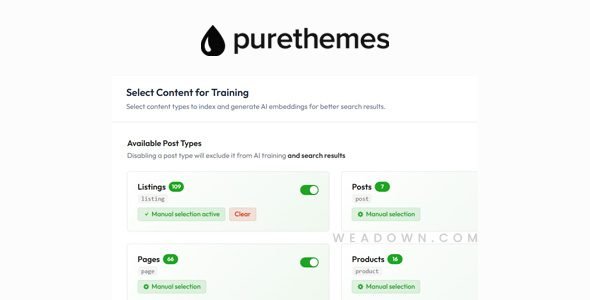
Subscription fatigue is real. Most website owners who want a capable AI chatbot are forced to choose between paying $39–$599 per month for SaaS platforms with rigid message limits or settling for generic chatbots that give vague, unhelpful answers. AI Chat & Search Pro (ChatBot) 2.1.2 — also known as PurioChat — breaks both constraints entirely.
Built natively for WordPress and WooCommerce by PureThemes (the team behind Listeo and WorkScout), PurioChat is an intelligent AI assistant plugin that learns directly from your site’s content — your pages, posts, products, FAQs, PDFs, and custom post types — and delivers precise, context-aware answers to your visitors in any language. And unlike every major competitor, you pay once and own it forever.
In this complete review, we break down every feature, supported AI model, WooCommerce integration, automation capability, analytics system, and pricing detail of AI Chat & Search Pro 2.1.2 — everything you need to decide if it’s the right WordPress chatbot plugin for your site.
What Is AI Chat & Search Pro (PurioChat)?
AI Chat & Search Pro is a WordPress AI chatbot plugin that adds an intelligent, conversational AI assistant to any WordPress website. Unlike generic chatbots that respond with pre-written scripts or give general internet-knowledge answers, PurioChat uses RAG-based semantic search (Retrieval-Augmented Generation) — a technique that grounds every AI response in the actual content of your website.
In plain terms: the chatbot reads and indexes your WordPress site, then uses that knowledge — combined with the reasoning power of models like ChatGPT, Gemini, Claude, or Mistral — to give visitors precise, relevant answers based on what’s actually on your pages.
The plugin is developed and actively maintained by PureThemes, a team with a proven track record in the WordPress ecosystem. Their changelog demonstrates continuous improvement with regular feature additions and security updates — making PurioChat one of the most actively developed AI chatbot plugins available for WordPress today.
Why PurioChat Stands Out: The Numbers
| Metric | Detail |
|---|---|
| Pricing Model | One-time payment |
| Pro License (1 Site) | $59 |
| Monthly Cost Year 1 | ~$4.92/month effective |
| Monthly Cost Year 2+ | $0 |
| Conversations | Unlimited |
| AI Providers Supported | 7 (OpenAI, Gemini, Claude, Mistral, Grok, DeepSeek, Llama) |
| Training Sources | Pages, Posts, Products, CPTs, PDFs, TXT, External URLs |
| Languages | Any language |
| WooCommerce | Full integration |
| Data Storage | On your own server |
| Free Version | ✅ Available |
Supported AI Models — Your API Key, Your Control
One of PurioChat’s defining advantages is its BYOK (Bring Your Own Key) model. Rather than paying a platform that marks up API costs and restricts message volumes, you connect your own API key from any supported AI provider and pay the provider directly — at actual API rates.
Supported AI providers in version 2.1.2:
- OpenAI — GPT-5.1, GPT-5.2, GPT-4.1 Mini, and all major GPT models
- Google Gemini — Gemini 3 Flash and Pro variants
- Anthropic Claude — Claude Sonnet, Claude Opus, and Claude Haiku
- Mistral AI — Mistral 7B, Mistral Large, and other variants
- xAI Grok — Elon Musk’s Grok models
- DeepSeek — DeepSeek’s open-source and API models
- Meta Llama — via OpenRouter
Real API Cost Examples
With your own API key, here’s what actual AI responses cost:
- GPT-4.1 Mini: ~$5 covers 2,000–5,000 messages
- Gemini 3 Flash: ~$5 covers 1,000–3,000 messages
- GPT-5.2: ~$5 covers ~1,000 messages
Compare this to Tidio’s Lyro AI add-on at $39/month for just 50 conversations — that’s $468/year before you even approach 1,000 conversations. Or Chatbot.com at $64–$599/month ($768–$5,988/year). PurioChat’s total cost for 10,000 messages works out to roughly $54 in API fees — versus $300–$1,000+ per year with subscription services.
How PurioChat Works: RAG-Based Semantic Search
Most chatbots match keywords. PurioChat understands meaning.
The plugin uses RAG (Retrieval-Augmented Generation) combined with vector embedding and semantic search — the same architecture used by enterprise AI systems. Here’s how it works in practice:
- Training — Click “Start Training” and PurioChat indexes your WordPress content into a vector database stored on your own server. No data leaves your infrastructure unless you choose to send it to an AI provider for responses.
- Semantic Indexing — The content is converted into vector embeddings that capture meaning, not just keywords. An embedding model switcher (added in v2.0.4) lets you choose the right model for your content type.
- Query Processing — When a visitor asks a question, PurioChat performs a semantic similarity search across your indexed content — finding the most relevant pages, products, or documents regardless of exact wording.
- AI Response Generation — The relevant content is fed to your chosen AI model (OpenAI, Gemini, Claude, etc.) which generates a precise, grounded response — citing actual information from your site rather than making things up.
- Continuous Improvement — Chat Insights analyzes conversation history and flags gaps, weak answers, and missed visitor intent so you can improve your training data over time.
This RAG architecture is what separates PurioChat from generic chatbots — it’s the difference between a bot that frustrates visitors and one that genuinely converts them.
Core Features of AI Chat & Search Pro 2.1.2
1. Trained on Your Content — All Source Types
PurioChat can learn from virtually every type of content on your WordPress site (Pro):
- Pages — all your static pages, including About, Services, FAQ, and more
- Blog Posts — your full post library indexed for instant retrieval
- WooCommerce Products — product names, descriptions, prices, attributes, stock, categories, variations, SKUs
- Custom Post Types — any CPT registered on your WordPress site (listings, events, courses, etc.)
- PDF Documents — upload PDF files for the chatbot to learn from
- TXT Files — plain text knowledge base documents
- External Websites — train on content from other URLs and web pages
This makes PurioChat uniquely capable for directory sites (like Listeo), membership sites, knowledge bases, and any WordPress installation with rich custom post type content.
2. Deep WooCommerce Integration — AI Shopping Assistant
The WooCommerce integration is one of PurioChat’s strongest competitive advantages. The AI assistant becomes a fully capable AI Shopping Advisor for your store:
- Semantic product search — understands intent, not just product name keywords
- Product comparison — visitors can ask the AI to compare two or more products
- Add products to cart from chat — complete the purchase intent loop without leaving the chat window
- Filter by category — narrow product search by product category in natural language
- Filter by price and ratings — “show me headphones under $100 with over 4 stars.”
- Stock availability — real-time answers about whether a product is in stock
- Check order status — customers can query their order status through the chatbot
PureThemes customers report up to 40% fewer repetitive support tickets after deploying PurioChat on WooCommerce stores — a direct, measurable impact on support workload and operational costs.
3. Custom AI Instructions — Natural Language Briefing
Forget complex decision trees, flowchart builders, or conditional logic editors. PurioChat lets you instruct your AI assistant in plain English — exactly like briefing a new employee:
- Define the chatbot’s tone (friendly, professional, casual, formal)
- Set specific behavior rules (“If a user asks about returns, direct them to our returns policy page”)
- Add escalation instructions (“If you can’t answer, ask for their email and send me a message”)
- Configure brand-specific language and terminology
- Set contact instructions (“Suggest contacting us on WhatsApp at +X XXX XXX XXXX”)
The 6,000-character custom instructions field gives you fine-grained control over how your AI assistant behaves — without any coding or technical setup.
4. AI Lead Capture
One of the most commercially valuable features in PurioChat Pro is AI Lead Capture. The AI can intelligently collect visitor contact information — name, email, phone — during a natural conversation, then automatically send you an email with their details and question.
No forms. No friction. No abandoned lead capture pages. The AI handles the collection naturally within the flow of conversation, and you receive a structured lead notification directly in your inbox.
5. Quick Action Buttons
Configure contextual quick-action buttons within the chat widget to guide visitors toward high-value actions:
- Link buttons — direct visitors to a specific page (pricing, contact, booking) with one tap
- Predefined questions — populate the chat input with common questions visitors can ask with one click
- Contact form popup — open an embedded contact form directly within the chat widget
These buttons reduce friction for the most common visitor intent patterns — guiding more conversations toward conversions.
6. Image & Voice Message Support
PurioChat Pro allows visitors to interact with the chatbot beyond text:
- Image messages — visitors can attach and send images when communicating with the chatbot (useful for support scenarios like “what is wrong with my product?”)
- Voice messages — visitors can record and send voice messages, which the AI transcribes and responds to
This multi-modal input capability brings PurioChat closer to a genuine customer service experience than any text-only chatbot can offer.
7. Human Contact Handoff — No Friction Escalation
When the AI can’t fully resolve a visitor’s issue, PurioChat includes a smooth human escalation pathway:
- The AI can send an email to you on behalf of the visitor — asking for their name and email, then forwarding their question directly to your inbox
- A Contact Human button is built into the chat widget for visitors who prefer human assistance
- An embedded contact form pop-up can be triggered from within the chat without leaving the conversation
This “AI-first, human-backup” workflow handles the vast majority of support queries automatically while ensuring no visitor is left without a resolution path.
8. Embed Anywhere — Floating Widget & Shortcode
PurioChat offers two distinct embed modes:
- Floating Chat Widget — a persistent chat button that appears on every page of your site, opening a chat overlay when clicked. The open/closed state is remembered as users navigate between pages (added in v2.0.5).
- Shortcode Embed — embed the chat interface directly into any page, post, or widget area using a shortcode for a full-screen, focused conversational experience
Both modes work with any WordPress theme and any page builder.
9. Fully Customizable Chat UI
The chat widget design is fully customizable to match your brand:
Three header style options:
- Clean minimal bar — simple welcome message header for professional sites
- Custom background image — with gradient overlay for branded personality
- Animated silk wave — a procedurally animated, eye-catching wave effect for creative sites
Additional design controls:
- Per-button color controls
- System-aware dark mode with automatic detection of user device preference
- Floating widget that resizes to fit any layout
- Light and dark mode manual override available
10. Chat Conversations History & AI-Powered Insights
The Pro version includes a comprehensive Admin Analytics Suite:
- Conversation History — browse every chat conversation with full context: user questions, AI responses, user details, and timestamps
- Trend Tracking — identify which topics visitors ask about most frequently
- Chat Insights — AI automatically analyzes conversation history and surfaces:
- Content gaps (questions the chatbot couldn’t answer well)
- Weak responses (answers that didn’t satisfy the visitor)
- Sentiment analysis (positive, neutral, and negative interaction trends)
- Summary highlights of your chatbot’s overall performance
This transforms your chatbot from a black box into a business intelligence tool — giving you actionable data to improve your content, FAQs, and product descriptions based on what real visitors actually ask.
Automation Integrations — Connect Your Stack
PurioChat Pro integrates with major automation and messaging platforms for extended functionality:
Messaging Channels
- WhatsApp — let users chat with your AI assistant via WhatsApp
- Telegram — deploy your AI assistant on Telegram with a full guide available
Automation Platforms (via Webhooks)
- n8n — connect your chatbot to complex multi-step automation workflows
- Zapier — trigger Zaps based on chatbot interactions (send leads to CRM, notify Slack, etc.)
- Make (formerly Integromat) — build automated workflows triggered by chatbot conversations
These integrations allow your AI assistant to not just answer questions but actively trigger actions — creating appointments, updating CRMs, sending notifications, and more.
Caching Plugin Compatibility
Version 2.0.6 introduced enhanced compatibility with all major WordPress caching plugins, ensuring PurioChat works correctly even on heavily cached sites:
- ✅ WP Rocket
- ✅ LiteSpeed Cache
- ✅ Autoptimize
- ✅ W3 Total Cache (and other major cache plugins)
Security & Performance
- Rate Limiting — added in v2.0.7 to prevent API abuse and protect your API key usage
- Vector Database on Your Server — your indexed content stays within your WordPress installation, not an external service
- No external data dependency for the knowledge base — content is stored locally
- Performance-optimized — the plugin only loads when needed, with no impact on page speed scores
- Vector similarity search optimization — improved in v2.0.6 for faster, more accurate semantic retrieval
PurioChat vs. SaaS Competitors — The Real Cost Comparison
This is where PurioChat makes its most compelling argument. The numbers are stark:
| AI Chat & Search Pro | Chatbase.com | Chatbot.com | Tidio Lyro | |
|---|---|---|---|---|
| Pricing Model | One-Time | Subscription | Subscription | Subscription |
| Year 1 Cost | $59 | $384 | $624 | $468+ |
| Year 2 Cost | $0 | $384 | $624 | $468+ |
| 5-Year Total | ~$59 + API fees | $1,920+ | $3,120+ | $2,340+ |
| WordPress Native | ✅ | ❌ | ❌ | ❌ |
| Monthly Messages | Unlimited | 2,000 | 1,000 chats | 50 conversations |
| Database on Your Server | ✅ | ❌ | ❌ | ❌ |
| Adjustable System Prompt | ✅ | ✅ | ❌ | Limited |
| WooCommerce Integration | ✅ Full | ❌ | ❌ | Limited |
| Image & Voice Messages | ✅ | ❌ | ❌ | ❌ |
| Remove Branding | ✅ Included | $39/month extra | ❌ | Premium only |
| Send Email to Human | ✅ | ❌ | ❌ | ❌ |
| WhatsApp & Telegram | ✅ | ✅ | ✅ | ❌ |
| Data Privacy | ✅ On your server | ❌ External | ❌ External | ❌ External |
Over five years, a business using PurioChat instead of Chatbase saves approximately $1,860+ in subscription costs while getting better WooCommerce integration, on-server data storage, and unlimited conversations.
Who Is AI Chat & Search Pro Best For?
| Train on custom post types (listings, locations, services) for site-specific answers. | Why PurioChat Works |
|---|---|
| WooCommerce Store Owners | AI shopping advisor with product search, comparison, cart, order status |
| Service Businesses | Answer FAQs, capture leads, and route to human contact automatically |
| Directory & Listing Sites | Train on custom post types (listings, locations, services) for site-specific answers |
| Membership & Course Sites | Train on course content, lesson PDFs, and member resources |
| Bloggers & Content Publishers | Instant semantic search across your entire article archive |
| Agencies | Deploy one-time-cost chatbots for clients without ongoing subscription overhead |
| Small Businesses | Enterprise AI capabilities at a one-time, budget-friendly price |
| Developers | n8n, Zapier, and Make webhooks for custom automation workflows |
Free vs. Pro — What’s the Difference?
| Feature | Free Version | Pro Version ($59) |
|---|---|---|
| AI Chat Widget | ✅ | ✅ |
| Train on Posts | ✅ | ✅ |
| Train on Pages | ❌ | ✅ |
| Train on WooCommerce Products | ❌ | ✅ |
| Train on Custom Post Types | ❌ | ✅ |
| Train on PDF / TXT / External | ❌ | ✅ |
| Chat Conversation History | ❌ | ✅ |
| Chat Insights (AI Analytics) | ❌ | ✅ |
| WooCommerce Integration | ❌ | ✅ |
| Quick Action Buttons | ❌ | ✅ |
| AI Lead Capture | ❌ | ✅ |
| Custom AI Instructions | Limited | ✅ Full (6,000 chars) |
| Image & Voice Messages | ❌ | ✅ |
| Telegram & WhatsApp | ❌ | ✅ |
| n8n, Zapier & Make Webhooks | ❌ | ✅ |
| Remove “Powered by” Label | ❌ | ✅ |
| Dark Mode | ✅ | ✅ |
| Floating Widget & Shortcode | ✅ | ✅ |
The free version is a genuine, functional way to test PurioChat on your site before committing. It connects to your AI provider of choice and lets you train the chatbot on your blog posts — making it easy to verify the quality of responses before upgrading.
What’s New in the Changelog
PurioChat is actively developed with a consistent update cadence:
| Version | Key Changes |
|---|---|
| 2.0.9 | Admin settings page fix |
| 2.0.8 | New admin settings interface layout |
| 2.0.7 | Significant improvements to listing and product filtering; AI now analyzes search results separately before displaying the grid; embedding model switcher added |
| 2.0.6 | Enhanced caching plugin compatibility (WP Rocket, LiteSpeed, Autoptimize); vector similarity search optimization |
| 2.0.5 | Floating widget “remember open/closed state” as user navigates pages; minor fixes |
| 2.0.4 | Significant improvements to listing and product filtering; AI now analyzes search results separately before displaying grid; embedding model switcher added |
Version 2.1.2 continues this trajectory of performance, security, and feature improvements based on user feedback.
Complete Feature Checklist
AI & Training:
- ✅ RAG-Based Semantic Search Engine
- ✅ 7 AI Provider Support (OpenAI, Gemini, Claude, Mistral, Grok, DeepSeek, Llama)
- ✅ BYOK — Bring Your Own API Key
- ✅ Train on Pages, Posts, Products, CPTs, PDFs, TXT, External URLs
- ✅ Embedding Model Switcher
- ✅ Vector Database Stored on Your Server
- ✅ Multi-Language Support (any language)
Chat Features:
- ✅ Floating Chat Widget
- ✅ Shortcode Embed (Full-Screen Mode)
- ✅ Image Message Support
- ✅ Voice Message Support
- ✅ Chat Open/Closed State Memory Between Pages
- ✅ Quick Action Buttons (Link, Predefined Question, Contact Form)
- ✅ Contact Form Popup within Chat
- ✅ Custom AI Instructions (6,000 characters)
- ✅ AI Lead Capture (Name, Email, Phone)
- ✅ Human Contact via Email (No Forms)
WooCommerce:
- ✅ Semantic Product Search
- ✅ Product Comparison in Chat
- ✅ Add to Cart from Chat
- ✅ Filter by Category, Price, Ratings
- ✅ Stock Availability Queries
- ✅ Order Status Queries
Design & UI:
- ✅ 3 Header Styles (Minimal, Image, Silk Wave Animation)
- ✅ Dark Mode (System-Aware + Manual)
- ✅ Per-Button Color Controls
- ✅ Responsive Floating Widget
- ✅ Remove “Powered by” Branding
Analytics:
- ✅ Conversation History (Full Log)
- ✅ Chat Insights (AI-Analyzed Gaps, Weaknesses, Sentiment)
- ✅ Trend Tracking
Integrations:
- ✅ Telegram
- ✅ n8n (Webhooks)
- ✅ Zapier (Webhooks)
- ✅ Make / Integromat (Webhooks)
- ✅ WP Rocket, LiteSpeed Cache, Autoptimize Compatibility
Security & Performance:
- ✅ Rate Limiting (Anti-Abuse)
- ✅ On-Server Vector Database (Data Privacy)
- ✅ Plugin Loads Only When Needed (No Page Speed Impact)
Pricing
AI Chat & Search Pro is available with the following license options:
| License | Price | Sites |
|---|---|---|
| Pro — 1 Site | $59 (one-time) | 1 website |
| Pro — 3 Sites | Available | 3 websites |
| Pro — 5 Sites | Available | 5 websites |
| Pro — 10 Sites | Available | 10 websites |
All Pro licenses include:
- Unlimited conversations (no monthly message caps)
- All training sources (pages, products, CPTs, PDFs, external URLs)
- Full WooCommerce integration
- Chat history and AI insights
- All integrations (WhatsApp, Telegram, n8n, Zapier, Make)
- Lifetime updates
- Remove “Powered by” label
Note: API usage costs (OpenAI, Gemini, etc.) are paid directly to your chosen AI provider at API rates — not to PureThemes. This is what keeps the total cost of ownership dramatically lower than SaaS alternatives.
Download the latest version — AI Chat & Search Pro 2.1.2 — from WeaDown or purchase your official Pro license from purethemes.net.
Pros and Cons
Pros
- Genuinely the most cost-effective WordPress AI chatbot — $59 once vs $384–$624/year for competitors
- RAG-based semantic search delivers real, contextually accurate answers (not keyword guessing)
- Supports 7 major AI providers — use the model that best fits your budget and quality needs
- Full WooCommerce shopping assistant capabilities (product search, comparison, add to cart, order status)
- Data stored on your own server — superior privacy compared to SaaS platforms
- AI Lead Capture turns chat into a conversion tool without friction
- Active development with regular updates, security patches, and new features
- Free version available to test before committing
- Chat Insights AI analytics turns conversation data into actionable improvements
- Unlimited conversations on your own API key — no artificial monthly limits
Cons
- Requires your own API key from OpenAI, Google, or another provider — a minor extra step for total beginners
- No built-in live chat handoff to a human agent (escalates via email, not real-time handoff)
- Each additional site requires a separate license tier
- API costs, while low, are a variable ongoing expense (though typically very small)
Download AI Chat & Search Pro WordPress Plugin
Note: If you are having trouble with AI Chat & Search Pro for WordPress and WooCommerce Plugin by Purethemes Free Download Latest Version, try to disable AdBlock for the site or try another Web Browser. If disabling Ad Blocker or changing your web browser does not help to you, please contact us.
Final Verdict: Is AI Chat & Search Pro 2.1.2 Worth It?
Without question, it's the best value WordPress AI chatbot plugin available in 2026. The combination of a one-time $59 price, RAG-based semantic search, genuine WooCommerce integration, 7 AI provider options, data stored on your own server, and unlimited conversations puts PurioChat in a category entirely its own.
Subscription chatbot platforms charge $384–$624 per year for fewer features, message limits, and data stored on external servers. PurioChat charges $59 once and lets you bring your own API key — meaning your actual cost per 1,000 meaningful conversations can be as low as a few dollars.
Whether you're running a WooCommerce store, a service business, a directory site, or a content-heavy blog, AI Chat & Search Pro 2.1.2 is the most intelligent, most affordable, and most privacy-respecting way to add a genuinely useful AI assistant to your WordPress website.
Download AI Chat & Search Pro 2.1.2 from WeaDown or start with the free version at purethemes.net.