WHMCS 9.0.0 – Web Hosting Billing & Automation Platform
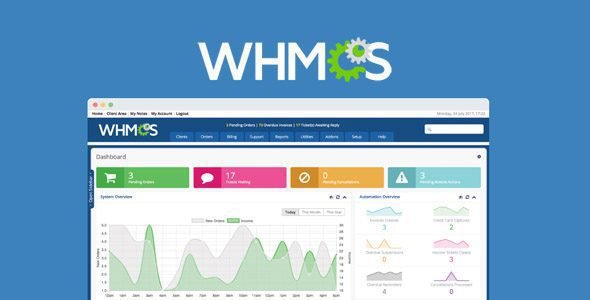
Running a web hosting business without the right billing and automation platform is like managing a call center without a phone system — technically possible, but painfully inefficient. For over a decade, WHMCS has been the industry standard answer to that problem. And with the release of WHMCS 9.0, the platform has taken its most significant leap forward in years: a compliance-focused, AI-enhanced, and thoroughly modernized upgrade that reshapes how hosting providers manage their businesses in 2026.
Whether you’re a seasoned hosting provider, a VPS reseller, or just starting your first web hosting company, this guide covers everything you need to know about WHMCS 9.0.0 — what’s new, what changed, the full feature set, pricing, system requirements, and where to download it.
What Is WHMCS?
WHMCS (Web Host Manager Complete Solution) is the world’s leading web hosting management and billing software. It automates all aspects of a hosting business — from billing, provisioning, domain reselling, and customer support — in a single, integrated platform. WHMCS easily integrates with all the leading control panels, payment processors, domain registrars, and cloud service providers.
Trusted by over 35,000 customers in over 200 countries, WHMCS powers hosting businesses of every size — from solo freelancers managing a handful of clients to enterprise-scale providers handling hundreds of thousands of accounts.
The platform covers six core pillars:
- Billing Automation — Invoicing, payment collection, tax calculation, reminders, and refunds on autopilot
- Service Provisioning — Automatic setup of hosting accounts, domains, and cloud services on payment
- Domain Reselling — Integrated with major domain registrars for automatic registration, transfers, and renewals
- Support Tools — A complete client portal with ticketing, knowledge base, and downloads
- Developer Ecosystem — Modular, extensible APIs, an ORM, and a thriving marketplace of third-party modules
- Security & Scalability — Built to grow with your business, from startup to enterprise
WHMCS 9.0: Release Overview
WHMCS 9.0 was first released on December 16, 2025, reached General Availability on January 20, 2026, and is eligible for Long-Term Support until December 31, 2026.
WHMCS 9.0 is a compliance-focused release designed to help businesses stay aligned with evolving regulatory requirements while delivering a seamless experience. The update includes major new features, security improvements, and a modernized platform architecture.
WHMCS 9.0 introduced a new Nexus cart experience, AI Domain Namespinning, CSV support for ImportAssist, credit and debit notes, and a new Stripe Dynamic Payments payment gateway module.
This is not a routine maintenance update — it’s a major version with architecture-level changes that affect billing compliance, checkout UX, API coverage, and server requirements. Every hosting business running WHMCS needs to understand what’s changed.
What’s New in WHMCS 9.0.0
1. The Nexus Cart — A Fully Dynamic Checkout Experience
One of the most visible changes in WHMCS 9.0 is the brand-new Nexus Cart, a complete redesign of the shopping cart and order flow experience.
WHMCS 9.0 introduces a new shopping cart and checkout experience called the Nexus cart. It is dynamic, so clients see changes without refreshing the page, and it includes an improved domain checker, easier promo codes, tax recalculation, and AI-powered domain name suggestions.
The old WHMCS cart required page reloads every time a client added a product, applied a promo code, or changed their billing country. The cart is fully dynamic, enabling customers to view real-time updates when adding products, applying promotional codes, recalculating taxes, or searching for domains. This functionality reduces friction and streamlines the process from product selection to checkout.
From a business perspective, reducing cart friction means fewer abandoned orders and higher conversion rates. The updated purchasing flow incorporates a refined design, improved domain checker functionality, and expanded customization options — all built for clarity and conversion.
To enable the Nexus Cart, set Nexus as your system theme, then set the Nexus Cart as your default order form template.
2. Credit and Debit Notes — Immutable Invoicing for Full Compliance
This is arguably the most significant compliance-oriented change in WHMCS 9.0, and it affects every business using the platform for financial management.
WHMCS 9.0 ensures complete audit trails, tax law compliance, and financial record integrity by using credit and debit notes to maintain a complete record of all invoice adjustments while preserving the original invoice.
Here’s how the new system works:
- Credit notes reduce or eliminate an invoice balance — used for refunds, price adjustments, returns, or corrections after an invoice is issued.
- Debit notes increase an invoice balance — used for additional charges like late fees or underbilling corrections.
Starting with WHMCS 9.0, invoices are immutable after you publish them (when they leave Draft status). You cannot directly edit published invoices. Instead, WHMCS automatically creates credit and debit notes to document any changes.
This feature update allows users to generate compliant credit and debit notes directly within WHMCS. Documents will be properly formatted to meet local tax regulations, improving transparency and accuracy for both you and your clients. For businesses operating under VAT, GST, or similar frameworks, this functionality reduces manual work and supports legal compliance, all without compromising the integrity of your financial records.
The invoice Transactions section has been renamed to the Ledger, which now provides a complete structured record of all invoice-related financial activity, including all linked credit and debit notes.
New role-based permissions allow granular admin control: List, Create, View, Manage, and Delete permissions for credit and debit notes are all configurable separately.
3. AI-Powered Domain Namespinning
Domain search just got smarter. WHMCS Namespinning now includes AI-powered domain name suggestions. When clients purchase a domain, they can use a keyword or description to search for the best domain name. Clients can also still search for an exact domain name.
AI-powered domain name spinning is now integrated into WHMCS 9.0, enhancing the domain search process with intelligent suggestions. Customers may enter descriptive text rather than exact keywords to more easily discover relevant domain options. This enhancement streamlines domain discovery, reduces cart abandonment, and increases the likelihood of successful domain registrations.
For hosting businesses that generate meaningful revenue from domain sales, this is a powerful conversion-driving feature. Instead of a client typing “mybakery.com” and seeing it’s taken, they now get AI-generated alternatives based on intent and context — increasing the chance they find and register something they love.
4. Stripe Dynamic Payments
WHMCS now includes Stripe Dynamic Payments, a new Stripe payment gateway module that uses Stripe’s Optimized Checkout Suite (OCS) to display Dynamic Payment Methods so customers see eligible payment options for their transaction context.
This means instead of a static list of payment options, clients are shown the most relevant payment methods for their location, currency, and device — including options like Klarna, Apple Pay, Google Pay, and regional payment methods — all dynamically surfaced by Stripe’s intelligence.
You can activate and configure the Stripe Dynamic Payments module at Configuration → Apps & Integrations. A dedicated Stripe Dynamic Payments Balance widget on the Admin Area Dashboard lets admins monitor available and pending balances directly.
5. Improved VAT Compliance and Validation
VAT compliance in WHMCS 9.0 has been enhanced through improved VAT number validation and more precise tax calculation at checkout. The system now supports both format validation and validation with relevant tax authorities, based on administrator preferences. WHMCS 9.0 also introduces automatic VAT rule updates via the daily cron, reducing manual intervention and minimizing compliance risks.
For hosting businesses operating across the EU, UK, Australia, or any VAT/GST jurisdiction, this is a substantial reduction in compliance risk and manual tax management overhead.
6. Peppol BIS 3.0 E-Invoicing Support
WHMCS 9.0 introduces support for Peppol BIS Billing 3.0 — the international e-invoicing standard used across the UK, Australia, Singapore, and many other markets. This enables hosting providers to issue fully compliant electronic invoices that meet the digital invoicing mandates of their local tax authority — completely automatically, with no manual effort required.
7. CSV Support for ImportAssist
ImportAssist now supports client imports using CSV files. This allows you to import client data from any system directly into WHMCS.
Previously, ImportAssist had more limited import format support. With CSV compatibility, migrating from a legacy billing system, a custom spreadsheet, or a competing platform becomes significantly more straightforward. A new --ImportAssist cron task processes new import files automatically as part of the system’s daily cron job.
8. AI Support Copilot (Technology Preview)
WHMCS 9.0 includes a preview of the upcoming AI Support Copilot addon module. This tool helps support agents by creating AI-generated response suggestions and removing Personally Identifiable Information (PII) from responses. The full release of this addon module is coming in 2026.
The copilot analyzes ticket content and suggests responses based on your knowledge base and previous ticket resolutions. For hosting providers managing high volumes of support tickets, this promises a meaningful reduction in average response time and a more consistent customer experience.
9. Expanded API Coverage for the Buy Flow
WHMCS 9.0 expands API coverage for Buy Flow Cart Management, providing a new extensible API for the cart and checkout experience built for customization, performance, and scale. The Nexus Cart’s AJAX-based architecture also opens up new possibilities for cart modification modules, upsell engines, and promotional tools. Modules can now interact with the cart state dynamically without forcing page refreshes, enabling smoother user experiences for add-on suggestions and upgrade prompts during checkout.
10. Updated Smarty Template Engine to v4
WHMCS 9.0 upgrades the Smarty template engine to v4, with improved rendering, better performance, and modern PHP 8.2 compatibility. Note that legacy Smarty PHP tags and fetch tags have been removed in this version — if you have custom templates using these, you’ll need to update them before upgrading.
11. Security Enhancements
WHMCS 9.0 introduces several security improvements:
- Rate Limiting for User Login Attempts — Prevents brute-force attacks on client and admin login pages
- New System Health Check for Two-Factor Authentication Encryption — Ensures 2FA secrets are stored securely
- Skrill Secret Word Requirement — Enforces additional authentication for the Skrill payment gateway
- WorldPay Payment Response Password Requirement — Adds required password verification for WorldPay callbacks
- Improved admin area validation across multiple areas
WHMCS 9.0 System Requirements
Before upgrading, make sure your server meets the following requirements:
| Requirement | Minimum | Recommended |
|---|---|---|
| PHP Version | 8.2 | 8.3 |
| ionCube Loader | 13.0.2 | 14.4.0 |
| MySQL | 5.2 | 8.0 |
| WHMCS Upgrade Path | From 8.x | — |
Upgrading to or installing WHMCS 9.0 or higher requires that you upgrade to PHP 8.2 or higher and install the appropriate version of ionCube Loader for your PHP version. Support for PHP 7.2, 7.3, 7.4, and 8.1 has been removed. This is the single most common blocking issue for upgrades — verify your server’s PHP version before proceeding.
What Was Removed in WHMCS 9.0
With every major version, WHMCS removes deprecated features. Key removals in 9.0 include:
- PHP 7.2, 7.3, 7.4, and 8.1 support — PHP 8.2 is now the minimum
- Legacy Smarty PHP tags and fetch tags — Remove from all custom templates
- Password Authentication for Google Mail — Migrate to OAuth
- TrustCommerce payment gateway — Migrate to an alternative gateway
- SiteLock VPN Setup Task — Removed from provisioning
- Domain Grace and Redemption Fee Billing — Billing flow updated
- TPP Wholesale Debug Mode — Removed
WHMCS 9.0 vs WHMCS 8.13: Key Differences
| Feature | WHMCS 8.13 | WHMCS 9.0 |
|---|---|---|
| Shopping Cart | Static (requires page reloads) | Dynamic Nexus Cart (AJAX, no reload) |
| Invoice Editing | Editable after issuance | Immutable — credit/debit notes only |
| AI Domain Search | Basic namespinning | AI-powered namespinning |
| Stripe Integration | Standard Stripe module | Stripe Dynamic Payments (OCS) |
| E-Invoicing | Not supported | Peppol BIS 3.0 compliant |
| CSV Import | Limited | Full CSV support via ImportAssist |
| PHP Requirement | PHP 7.4+ | PHP 8.2+ |
| Smarty Engine | Smarty 3.x | Smarty 4.x |
| AI Support Tools | Not available | AI Support Copilot (Technology Preview) |
| VAT Compliance | Manual validation | Automatic validation + cron updates |
WHMCS Core Features: A Complete Overview
Even beyond version 9.0’s new additions, WHMCS has an exceptionally deep feature set. Here’s a summary of what the full platform provides:
Billing & Invoicing
- Automated invoice generation and delivery
- Recurring billing with flexible billing cycles (monthly, quarterly, annually, etc.)
- Multi-currency support across all major global currencies
- Tax calculation with full VAT/GST support and jurisdiction-aware rules
- Late fee automation and payment reminder sequences
- Credit balance management and account credits
- Credit and debit notes (new in 9.0)
- Integration with payment gateways, including Stripe, PayPal, Authorize.Net, Braintree, and dozens more
Service Provisioning
- Automatic account creation on hosting control panels (cPanel/WHM, Plesk, DirectAdmin, and more)
- VPS and dedicated server provisioning
- Cloud hosting via AWS, DigitalOcean, Linode, and other providers
- SSL certificate provisioning and management
- Automatic suspension and unsuspension based on payment status
- Welcome email automation with all account credentials
Domain Management
- Automatic domain registration and renewal via major registrars (ENOM, ResellerClub, Namesilo, Cloudflare, and more)
- WHOIS management and domain locking
- Domain transfer automation
- DNS record management
- AI-powered domain name suggestions (new in 9.0)
- Alphabet and keyword-based domain discovery
Client Portal & Support
- Branded client portal with full account management
- Integrated ticketing system with departments, priorities, and SLA management
- Knowledgebase for self-service support
- File downloads section for clients
- Predefined ticket replies and canned responses
- AI Support Copilot for agent response suggestions (Technology Preview in 9.0)
- Two-factor authentication for client and admin accounts
Developer & API Tools
- Comprehensive REST API with extensive endpoint coverage
- Hook system for extending and customizing platform behavior
- Module framework for provisioning, payment gateways, registrars, and fraud protection
- WHMCS Marketplace with hundreds of third-party add-ons
- Template system built on Smarty 4 for full front-end customization
WHMCS Pricing in 2026
WHMCS moved to a subscription-only, client-count-based pricing model. As of 2026, pricing starts at $34.95 per month for up to 250 clients and escalates based on client volume.
The key pricing tiers for self-hosted licenses are:
| Plan | Active Clients | Monthly Price |
|---|---|---|
| Plus | Up to 250 | $29.95/mo |
| Professional | Up to 500 | $54.95/mo |
| Business 1,000 | Up to 1,000 | $84.95/mo |
| Business 2,500 | Up to 2,500 | $179.95/mo |
| Business 5,000 | Up to 5,000 | $284.95/mo |
| Business 10,000 | Up to 10,000 | $399.95/mo |
| Unlimited | Unlimited | $1,999.95/mo |
Active Client is defined as any client with at least one active product, service, addon, or domain.
WHMCS Cloud (Fully Hosted Option)
For those who want to skip server management entirely, WHMCS Cloud delivers a fully hosted WHMCS environment with automatic updates and backups, and you can be live in minutes. WHMCS Cloud starts from $84.95 per month (excluding VAT) for over 500 active clients.
WHMCS Cloud is ideal for:
- Hosting providers who want to skip managing servers
- Agencies and IT firms with multiple clients
- Software developers who need billing and licensing without DevOps overhead
All plans come with a 30-day money-back guarantee for new users.
How to Upgrade to WHMCS 9.0
If you’re already running WHMCS 8.x, here’s the recommended upgrade process:
- Check System Requirements — Verify your server meets PHP 8.2+, MySQL 5.2+, and ionCube Loader 13.0.2+ requirements.
- Back Up Everything — Always back up your WHMCS files and database before upgrading. Store the backup offsite.
- Update Custom Templates — Remove any Smarty PHP tags or fetch tags from custom templates, as these have been removed in WHMCS 9.0.
- Check Third-Party Modules — Verify that all marketplace modules and custom integrations are compatible with WHMCS 9.0.
- Navigate to Utilities → Update WHMCS — Use the built-in auto-updater to apply the upgrade.
- Test Thoroughly — Test your cart, checkout, billing flows, and any custom hooks after upgrading, paying particular attention to the new Nexus Cart’s HTML structure and JavaScript events.
Note: If you’re upgrading from WHMCS 7.x, you’ll need to upgrade through intermediate EOL versions before reaching 9.0. Consult the WHMCS documentation’s “Updating Through EOL Versions” guide.
Who Is WHMCS 9.0 For?
Web Hosting Providers — If you sell shared hosting, VPS, dedicated servers, or reseller hosting, WHMCS is your billing and provisioning backbone.
Domain Resellers — Deep integration with registrars, AI-powered search, and automated renewals make domain management effortless.
Cloud Hosting Businesses — Native integrations with AWS, DigitalOcean, and other cloud providers for automatic provisioning.
ISPs and Managed Service Providers — Use WHMCS’s ISP billing features for fixed-line, broadband, or managed service billing.
Software Developers and SaaS Companies — License management, recurring billing, and client portal features work for any subscription-based software business, not just hosting.
Agencies — Manage hosting and domains for clients, with a white-labeled portal experience.
Download WHMCS Web Hosting Platform Scripts
Note: If you are having trouble with the WHMCS Web Hosting Billing Platform Free Download Latest Version, try disabling AdBlock for the site or using another Web Browser. If disabling the AD blocker or changing the Web Browser does not help you, please contact us.
Final Verdict: Is WHMCS 9.0 Worth the Upgrade?
Absolutely — for any serious hosting business. WHMCS 9.0 isn’t a cosmetic refresh; it’s a foundational upgrade touching billing compliance, checkout UX, payment processing, AI tooling, and platform architecture all at once.
The Nexus Cart alone is worth upgrading for — a modern, AJAX-driven checkout experience reduces friction, improves conversion, and brings WHMCS’s front end up to the standard that today’s customers expect. The Credit and Debit Notes system brings WHMCS into full alignment with international accounting standards, which is non-negotiable for businesses operating in regulated markets. And AI Domain Namespinning, Stripe Dynamic Payments, and the AI Support Copilot preview all signal where the platform is heading: a fully automated, AI-enhanced hosting business management solution.
WHMCS is the leading web hosting management and billing software that automates all aspects of your business from billing, provisioning, domain reselling, support, and more. Version 9.0 reinforces that leadership position with a release that’s more capable, more compliant, and more conversion-focused than any version before it.