BetterDocs Pro 3.8.2 – Documentation & Knowledge Base Solution for WordPress
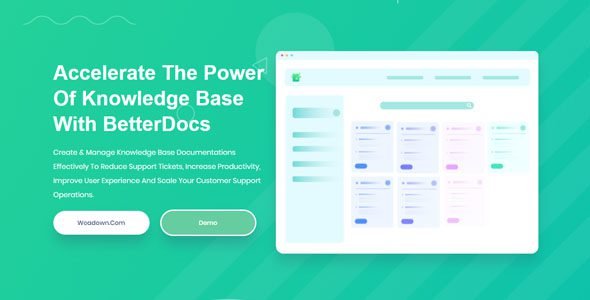
Every SaaS product, WordPress plugin, WooCommerce store, or online business eventually faces the same problem: too many support tickets, not enough time. The smartest solution to this problem isn’t hiring more support staff — it’s building a knowledge base so good that customers find answers on their own.
BetterDocs Pro by WPDeveloper is the most advanced, feature-rich, and AI-powered documentation and knowledge base plugin for WordPress — and with version 3.8.2, it has never been more capable. Trusted by more than 40,000+ websites and businesses globally, BetterDocs Pro is the go-to solution for creating stunning, searchable, and self-servicing help centers that dramatically reduce support tickets, increase customer satisfaction, and scale support operations without scaling headcount.
The BetterDocs ecosystem has been evolving rapidly in 2026, with major releases across the 4.3.x through 4.5.x versions (the free plugin) running in parallel with the Pro add-on. New capabilities include Git Sync for developer teams, AI Chatbot for instant automated support, Write with AI for content generation, AI Doc Quality Analysis for data-driven improvement, Bulk Define with AI for Glossary, Edit with AI, and a comprehensive run of security enhancements and compatibility fixes.
In this full review, we’ll cover the complete 2026 changelog, all core features, pricing, and why BetterDocs Pro 3.8.2 is the documentation plugin every WordPress site owner should be running.
What’s New in BetterDocs — The 2026 Changelog
BetterDocs ships updates across both its free core plugin and the Pro add-on simultaneously. Here is the complete official changelog for all 2026 releases:
v4.5.0 — May 20, 2026 — The AI Expansion Update
This is the most feature-rich 2026 update yet:
Bulk Define with AI for Glossary — One of the most eagerly awaited AI features: bulk define all your glossary terms automatically using AI. Instead of manually writing definitions for every technical term in your documentation, AI generates accurate, consistent definitions in bulk — a massive time-saver for product teams with large technical glossaries.
Edit with AI — Any existing section or content in your documentation can now be edited, refined, improved, or rewritten using AI directly from the editor. Fix grammar, improve clarity, expand thin sections, or rewrite for a specific audience — all with a single click.
Write with AI — Expanded Block Support — Write with AI now supports core WordPress blocks, including Paragraph, Heading, and more. Previously limited to the BetterDocs doc editor, AI writing assistance is now available across more content creation scenarios.
Settings Deep Links — Settings tabs now support direct deep links, allowing teams to share direct links to specific settings panels — a small quality-of-life improvement that significantly helps onboarding and support workflows.
Bug Fixes: Fixed translation issues in the Elementor Sidebar widget; fixed WPML-related issues with doc ordering, archive slugs, translated permalinks, and secondary languages; fixed FAQ CSV import not creating FAQs; fixed FSE block inspector color settings leaking across templates; fixed multi-category feed URLs returning 404.
v4.4.1 — May 13, 2026 — Stability & Security
Security Enhancement — Another round of security hardening to protect BetterDocs installations across the user base.
Bug Fixes: Fixed 404 triggered on query-string archives with plain permalinks; fixed disable reaction option not working in Essence single doc layout; fixed archive page pagination not working; fixed Category Box and Slate Layout blocks ignoring Multiple Knowledge Base filter when no KB selected; fixed Category Grid block rendering empty on frontend with Multiple Knowledge Base enabled; fixed Elementor Category Grid widget showing categories from only one KB when “All knowledgebase” was selected.
Block API Improvement: Block API version updated for apiVersion 3 iframe compatibility — ensuring BetterDocs blocks work correctly in the latest WordPress full site editor environment.
v4.4.0 — May 11, 2026
Minor bug fixes and improvements — a polish release following v4.3.11.
v4.3.11 — April 15, 2026
Security Enhancement — proactive hardening of the plugin codebase.
v4.3.10 — March 18, 2026
New Customization Option — Added an option to customize the “No Docs Found” text in the modal search — giving site owners full control over the messaging users see when their search yields no results.
Write with AI Alignment — Modified the Write with AI feature to make it aligned with the Docs Analyzer standard, bringing consistency to the AI-powered content workflow.
Bug Fix — Fixed single docs returning a 404 error when using a custom permalink structure containing index.php.
v4.3.9 — March 11, 2026
Fixed single docs returning 404 errors in certain cases. Security Enhancement included.
v4.3.8 — March 8, 2026
Multiple Gutenberg block styling fixes; FAQ schema not working in FAQ shortcodes fixed; BetterDocs font being incorrectly applied across the entire WordPress admin area fixed; Glossary Write with AI API redirection issue fixed; Multiple KB Sleek layout block uncaught error fixed.
v4.3.6 — January 28, 2026
Improved: Enabled draft visibility in all docs and enhanced drag & drop ordering in the BetterDocs UI. Fixed: OpenAI API key insertion redirections are causing errors.
v4.3.5 — January 21, 2026
Fixed docs permalink issue affecting recent documents in the admin dashboard; fixed block recovery error after importing docs; fixed category-based search not functioning properly in Gutenberg Blocks and Elementor Theme Builder; fixed multilingual search results not returning correctly; fixed single docs navigation footer not following correct BetterDocs ordering.
v4.3.4 — January 1, 2026
Security Enhancement — a dedicated security update starting the new year.
v4.3.1 — December 15, 2025
Security Fix: Resolved an issue where Contributor users could read or modify other users’ document quality scores via AJAX handlers — a critical role-based access security patch.
Core Features of BetterDocs Pro 3.8.2
🤖 Write with AI — Generate Documentation in Seconds
Use the robust Write with AI feature to effortlessly produce in-depth documentation and quick FAQs with just a few clicks, streamlining the process of creating a comprehensive knowledge base.
Write with AI eliminates the blank-page problem. Enter a topic, choose your style and length, and BetterDocs generates a complete, well-structured documentation article — ready to review, edit, and publish. It works for both long-form documentation and short FAQ entries, and now supports core WordPress blocks, including Paragraph and Heading.
✏️ Edit with AI — Instant Content Refinement
The newly shipped Edit with AI feature (v4.5.0) lets you select any existing section or content in your documentation and refine it using AI. Rewrite for clarity, improve readability, expand thin sections, fix awkward phrasing, or adjust tone — directly within the BetterDocs editor without switching tools.
📚 Bulk Define with AI — Glossary at Scale
The Bulk Define with AI feature (v4.5.0) is a game-changer for technical documentation teams. Select all your glossary terms and let AI generate accurate, consistent definitions in bulk. What previously took hours of manual writing now takes seconds.
🔍 AI Doc Quality Analysis — Data-Driven Documentation
Get insights on the doc’s quality to identify gaps, readability issues, and optimization opportunities. Make data-driven improvements with AI-powered analysis.
The Doc Quality Analysis feature scans every documentation article and provides an intelligent quality score based on readability, completeness, keyword coverage, and structural quality. Teams can prioritize which docs need improvement based on data rather than guesswork.
💬 AI Chatbot — 24/7 Instant Answers from Your Docs
Enhance your knowledge base experience with BetterDocs AI Chatbot. It delivers instant and accurate answers from your documentation, powered by advanced AI, while providing a smarter support system.
The BetterDocs AI Chatbot is trained on your documentation content and answers visitor questions in real time — 24 hours a day, 7 days a week, without any human involvement. When visitors type a question, the chatbot surfaces the most relevant answer from your knowledge base, dramatically reducing the number of support tickets generated.
🔗 Git Sync — For Developer & Technical Teams
Connect your Git repositories with BetterDocs to auto-sync documentation, reduce manual updates, and keep everything in one place effortlessly.
Git Sync is one of the most significant new additions to BetterDocs in 2026, aimed directly at developer teams and technical documentation workflows. Connect your GitLab (or GitHub) repository and BetterDocs automatically pulls documentation updates whenever changes are pushed — eliminating the need to manually maintain two copies of your docs.
🔎 Advanced Live Search Bar — Instant AJAX Results
Improve user experience by adding an advanced live search bar so your visitors can find helpful documentation articles easily.
The BetterDocs search bar is powered by AJAX — results appear instantly as users type, without any page reload. This real-time search experience dramatically reduces the time visitors spend looking for answers and significantly increases the self-service rate of your help center.
Customization in v4.3.10: An option to customize the “No Docs Found” text in the modal search gives you full control over the messaging users see when their search yields no results — enabling you to guide them to alternative support channels.
📑 Scrollable Table of Contents — Sticky Navigation
Automatically add a responsive, sticky Table of Contents to your knowledge base and help site visitors navigate through your content with ease.
Long documentation articles become significantly more usable with BetterDocs’ auto-generated, sticky Table of Contents. As users scroll through an article, the TOC follows them, always showing their current position and allowing instant navigation to any section.
📊 Insightful Analytics & Automatic Email Reports
Measure the performance of your knowledge base with detailed analytics covering traffic, views, click rates, article ratings, and more. Automatic email reports deliver these insights to your inbox on a schedule — keeping the whole team informed about knowledge base performance without manual reporting.
📧 Email Reporting — Scheduled Performance Insights
Measure the performance of your knowledge base and get email reports with insightful analytical data about traffic, views, click-rates, and more.
🏢 Multiple Knowledge Base — One Site, Many Audiences
One of BetterDocs Pro’s most powerful features is the ability to create multiple completely separate knowledge bases within a single WordPress installation.
This is essential for SaaS products with multiple tiers, agencies managing documentation for different clients, WooCommerce stores with separate product lines, or any business needing to serve distinct audience segments with different documentation sets.
🔒 Internal Knowledge Base — Private Documentation
Create and manage your own private internal knowledge base and control access to your internal documentation based on specific user roles.
The Internal Knowledge Base feature is ideal for teams who need private documentation — HR policies, internal SOPs, developer references, or onboarding guides — accessible only to logged-in users with specific roles, completely separate from the public knowledge base.
⚡ Instant Answers — Floating Help Widget
Create a fantastic instant answer toolbar for your website so users can easily find the documentation they need.
The Instant Answers widget appears as a floating button on every page of your site — giving users immediate access to search your entire knowledge base without leaving the page they’re on. This proactive help reduces support contact before it happens.
❓ FAQ Builder — Structured Q&A Content
The dedicated FAQ Builder lets you create beautifully formatted FAQ sections that integrate seamlessly with your knowledge base. FAQ content is automatically structured with proper schema markup — helping your FAQ answers appear directly in Google search results as featured snippets.
🎨 Ready Templates — Elementor & Gutenberg
Choose from tons of ready templates to create beautiful WordPress documentation any way you want in Gutenberg or Elementor.
BetterDocs ships with multiple professionally designed documentation templates across several visual styles — all fully customizable through either the Gutenberg block editor or Elementor. No design skills required to create a stunning, on-brand knowledge base.
🌐 Multilingual Documentation — WPML Integration
Take advantage of BetterDocs’ seamless integration with WPML and create multilingual documentation to connect with users from all over the world.
The v4.3.5 and v4.5.0 updates specifically addressed and fixed multiple WPML-related issues including doc ordering, archive slugs, translated permalinks, secondary languages, and multilingual search results — making BetterDocs one of the most reliable multilingual knowledge base solutions available.
📦 Import & Export — Backup & Migration
Seamlessly migrate your valuable content or back up your knowledge base with the import and export feature that supports CSV and XML formats.
🔄 3rd Party Migration — From Help Scout & More
Migrate your knowledge base from any 3rd party app like Help Scout with a single click to help your business improve customer service. This makes switching to BetterDocs from existing help platforms completely frictionless.
🖥️ Full Site Editor (FSE) Compatibility
Customize your knowledge base layout and design directly using BetterDocs’ compatibility for the WordPress Full Site Editor. The v4.4.1 update addressed FSE block inspector color settings issues, and the Block API was updated to apiVersion 3 for full iframe compatibility.
📎 Attachment & Related Docs
Embed attachments and related documentation in every single doc to provide supporting content and additional information for easy understanding. Link related articles to guide users through complex topics step by step.
🛍️ BetterDocs for Shopify
Have a Shopify Store? Set up an advanced help desk, FAQ & knowledge base for your eCommerce business with BetterDocs for Shopify — taking the BetterDocs ecosystem beyond WordPress to serve eCommerce merchants on Shopify as well.
BetterDocs vs. Other WordPress Knowledge Base Plugins
| Feature | BetterDocs Pro 3.8.2 | Heroic KB | Documentor | WP Knowledgebase |
|---|---|---|---|---|
| AI Content Writing | Yes (Write with AI + Edit with AI) | No | No | No |
| AI Chatbot | Yes (dedicated add-on) | No | No | No |
| AI Doc Quality Analysis | Yes | No | No | No |
| Bulk Glossary AI | Yes | No | No | No |
| Git Sync | Yes | No | No | No |
| Multiple Knowledge Bases | Yes (Pro) | Yes | No | No |
| Internal Knowledge Base | Yes (Pro) | No | No | No |
| Instant Answers Widget | Yes | No | No | No |
| Advanced Live Search | Yes (AJAX) | Yes | Yes | Basic |
| Scrollable Table of Contents | Yes (sticky) | Yes | No | No |
| FAQ Builder | Yes | No | No | No |
| Email Reporting | Yes | No | No | No |
| 3rd Party Migration (Help Scout) | Yes | No | No | No |
| Elementor Integration | Yes (full) | Partial | No | No |
| Gutenberg Blocks | Yes (full) | Yes | No | No |
| Full Site Editor (FSE) | Yes | No | No | No |
| WPML Multilingual | Yes | Yes | No | No |
| Shopify Version | Yes | No | No | No |
| Active Installations | 40,000+ | 10,000+ | 5,000+ | 2,000+ |
Who Is BetterDocs Pro Built For?
| User Type | How BetterDocs Pro Helps |
|---|---|
| SaaS & Software Companies | Complete self-service help center — reduce support tickets by 80%+ |
| WordPress Plugin Developers | Professional documentation portal with Git Sync for code-adjacent teams |
| WooCommerce Store Owners | Product FAQs, setup guides, shipping/return docs to reduce pre-sales questions |
| Digital Agencies | Multiple Knowledge Base for managing client-facing docs + internal SOPs |
| Online Course Creators | Internal knowledge base for student resources, private courseware |
| eCommerce SaaS Businesses | BetterDocs for Shopify for merchant-facing help centers |
| Enterprise & Corporate Teams | Internal Knowledge Base with role-based access control |
| Multilingual Businesses | WPML integration for documentation in 10+ languages |
BetterDocs Pro Pricing — Outstanding Value
BetterDocs Pro offers annual plans with a 30-day money-back guarantee:
| Plan | Sites | Key Inclusions |
|---|---|---|
| Personal | 1 site | All Pro features, 1 year support & updates |
| Business | 5 sites | All Pro features, priority support |
| Agency | Unlimited sites | All Pro features, white label options |
| Agency Bundle | Unlimited | BetterDocs + all WPDeveloper plugins |
At $639.20 for the full agency bundle, WPDeveloper estimates the total value of what’s included at over $6,000 — making it one of the highest-value plugin bundles in the WordPress ecosystem.
A free version of BetterDocs is available on the WordPress.org plugin directory with a generous feature set.
BetterDocs 2026 Changelog Summary
| Version | Date | Key Changes |
|---|---|---|
| v4.5.0 | May 20, 2026 | Bulk Define with AI (Glossary), Edit with AI, expanded Write with AI, Settings deep links, WPML fixes, FAQ CSV fix |
| v4.4.1 | May 13, 2026 | Security enhancement, multiple block + Multiple KB fixes, pagination fix, Block API v3 |
| v4.4.0 | May 11, 2026 | Minor bug fixes |
| v4.3.11 | Apr 15, 2026 | Security Enhancement |
| v4.3.10 | Mar 18, 2026 | “No Docs Found” text customization, Write with AI alignment, permalink fix |
| v4.3.9 | Mar 11, 2026 | 404 fix, Security Enhancement |
| v4.3.8 | Mar 8, 2026 | Gutenberg styling fixes, FAQ schema fix, admin font fix, Glossary AI fix |
| v4.3.7 | Feb 10, 2026 | Minor bug fixes |
| v4.3.6 | Jan 28, 2026 | Draft visibility, drag & drop ordering, OpenAI key fix |
| v4.3.5 | Jan 21, 2026 | Permalink fix, multilingual search fix, category search fix, nav footer fix |
| v4.3.4 | Jan 1, 2026 | Security Enhancement |
| v4.3.1 | Dec 15, 2025 | Security Fix (Contributor AJAX privilege escalation), API error handling |
Final Verdict: Is BetterDocs Pro 3.8.2 Worth It in 2026?
Absolutely. BetterDocs Pro has evolved from a documentation plugin into a complete AI-powered knowledge management platform — and the 2026 releases demonstrate just how rapidly that evolution is happening.
The combination of Write with AI, Edit with AI, Bulk Glossary AI, Doc Quality Analysis, AI Chatbot, Git Sync, Multiple Knowledge Bases, Internal Knowledge Base, advanced analytics, and email reporting puts BetterDocs Pro in a category of its own among WordPress knowledge base solutions.
The development pace across the 4.3.x through 4.5.x cycle — delivering meaningful new features every few weeks alongside security hardening, WPML fixes, Gutenberg improvements, and Full Site Editor compatibility — demonstrates the kind of active, quality-focused development that serious business owners need from their tools.
For any WordPress-powered business that receives support tickets, has users asking repetitive questions, or wants to scale customer success without scaling headcount — BetterDocs Pro 3.8.2 is the definitive choice in 2026.
Download BetterDocs Pro WordPress Plugin
Note: If you are having trouble with BetterDocs Pro – WordPress Knowledge Base Solution Free Download Latest Version, try to disable AdBlock for the site or try another Web Browser. Disabling the AD blocker or change Web Browser not help you. Please contact us.
FAQs About BetterDocs Pro 3.8.2
Q: What is BetterDocs Pro? A: BetterDocs Pro is a premium WordPress plugin by WPDeveloper for building documentation and knowledge base portals. It extends the free BetterDocs plugin with advanced features, including Multiple Knowledge Bases, Internal Knowledge Base, Instant Answers, advanced analytics, email reporting, and AI-powered features.
Q: How does Write with AI work in BetterDocs? A: Write with AI is a built-in AI content generator. Enter a topic or prompt, and BetterDocs uses AI to generate a complete, well-structured documentation article or FAQ entry in seconds. Version 4.5.0 expanded support to include core WordPress blocks like Paragraph and Heading.
Q: What is the BetterDocs AI Chatbot? A: The AI Chatbot is a BetterDocs add-on that trains on your documentation content and answers visitor questions in real time using AI. It provides 24/7 instant support directly from your knowledge base without human involvement.
Q: What is Git Sync in BetterDocs? A: Git Sync connects your Git repositories (GitLab, GitHub) with BetterDocs and automatically syncs documentation updates whenever code is pushed. This is ideal for developer teams who maintain documentation alongside their code.
Q: Can BetterDocs handle multiple knowledge bases? A: Yes. BetterDocs Pro supports Multiple Knowledge Bases — allowing you to create completely separate help centers for different products, audiences, or client sites within a single WordPress installation.
Q: Is BetterDocs Pro compatible with Elementor and Gutenberg? A: Yes. BetterDocs Pro includes full integration with both Elementor (dedicated widgets) and the Gutenberg block editor (dedicated blocks), plus compatibility with the WordPress Full Site Editor.
Q: Does BetterDocs support multilingual documentation? A: Yes. BetterDocs integrates with WPML for multilingual documentation. The v4.3.5 and v4.5.0 updates specifically fixed multiple WPML-related issues including doc ordering, archive slugs, translated permalinks, and multilingual search results.
Q: Is there a free version of BetterDocs available? A: Yes. A free version of BetterDocs is available on the WordPress.org plugin directory with a solid feature set. BetterDocs Pro adds advanced capabilities including Multiple Knowledge Bases, Instant Answers, Internal Knowledge Base, advanced analytics, email reports, and AI features.