Bricks 2.3.5 – Visual Site Builder for WordPress
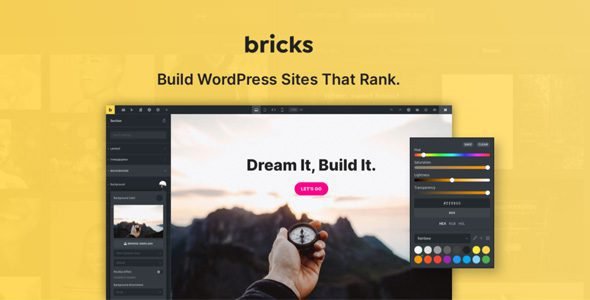
If you’re a WordPress developer, designer, or agency owner looking for a visual site builder that gives you true code-level control without writing code, Bricks is the tool that has taken the community by storm. Built by a passionate, community-driven team, Bricks is an innovative visual site builder for WordPress that empowers you to design unique, performant, and scalable websites — code-free.
The latest release, Bricks 2.3.5, dropped on May 12, 2026, continuing the rapid development momentum that began with the landmark Bricks 2.3 release in March 2026. This version brings targeted improvements and a wide range of fixes across query filters, global queries, forms, WooCommerce, custom CSS, and builder navigation — making an already excellent builder even more polished and reliable.
In this complete review, we’ll cover everything: what’s new in 2.3.5, what major features shipped in the Bricks 2.3 cycle, the full feature set, pricing, and how Bricks compares to Elementor and other competing builders in 2026.
What’s New in Bricks 2.3.5?
Released on May 12, 2026, Bricks 2.3.5 focuses on improvements and fixes across query filters, global queries, forms, WooCommerce, custom CSS, and builder navigation.
Here’s a breakdown of the key changes:
Improvements
- External CSS notice — Bricks now shows a notice if external CSS is used but WP CRON is disabled, helping you catch configuration issues before they cause problems.
- Text Link & Icon Box improvements — Better behaviour and consistency for these commonly used elements.
- Video Element — Dynamic tags are now supported for YouTube video start and end time, enabling more powerful dynamic video embeds.
Bug Fixes (Key Highlights)
The 2.3.5 release addresses a comprehensive range of real-world workflow issues including: Infinite scroll not working with global queries, WPML component block translations storing escaped characters incorrectly, WooCommerce Badge sale percentage potentially causing fatal errors on deleted group product children, Instant Navigation page title not changing when editing headers or footers, the Paste HTML feature adding SVG attributes twice on the front end, and Filter Select issues with ACF Field integration generating incorrect meta queries.
Additional fixes include Custom CSS textarea resizing, cutting off content, and the %root% CSS variable showing ID or class name instead of the correct value, Photoswipe Lightbox ID grouping not working with Bricks AJAX actions, Style Manager Canvas Preview overlaying notifications, and WPML nav menu dropdowns showing the wrong language in the builder.
Bricks 2.3 — The Major Feature Release
To fully appreciate 2.3.5, it’s essential to understand the landmark Bricks 2.3 release from March 18, 2026, which introduced the most significant set of new capabilities in recent memory.
🚀 HTML & CSS to Bricks
Bricks 2.3 introduced a powerful new way to accelerate your workflow. You can copy HTML and CSS from any source and paste it directly into the builder. Bricks detects the code in your clipboard and converts it into native elements, classes, and variables.
Standard HTML elements are transformed into their native Bricks element counterparts. CSS styles such as margin, padding, width, and max-width are automatically mapped to the corresponding Bricks UI settings whenever possible. Any CSS that cannot be directly mapped to a specific Bricks setting is preserved as custom CSS within the element’s settings or a dedicated code element.
This new feature significantly reduces the need to manually recreate design elements, making it easier to utilize layouts generated by AI tools or existing web libraries.
📌 Pin Control Groups
Pinned control groups streamline work by letting you pin frequently used control groups to a dedicated section at the bottom of the panel. Pinned groups stay easily accessible while you work, can be unpinned with a single click, and their state is remembered between sessions. The pinned section is also resizable, with a double-click option to quickly expand or collapse it as needed.
🖼️ Image Gallery — Load More & Infinite Scroll
The Image Gallery element now supports loading more images on demand through a new “Load more” interaction without any additional AJAX calls. You can define how many images appear initially, how many are revealed per load, and even set those values responsively. For a more seamless browsing experience, you can also enable infinite scroll to automatically load more images as visitors approach the end of the gallery, with controls for trigger offset and delay.
🔍 Major Query Filter Upgrades
Bricks 2.3 delivered a comprehensive upgrade to query filters — one of the most important tools for building dynamic, data-driven websites.
Filter – Select: Select filter fields now support a more advanced select experience powered by Choices.js. You can enable search for faster option discovery, allow multiple selections for more refined filtering, and use advanced styling controls to better match the filter to your site’s design.
Filter – Radio & Checkbox: Radio and Checkbox filters now offer much more styling flexibility. In addition to option spacing and typography controls, you can now style the custom input indicator itself, including its gap, size, border width, border style, border color, background color, focus ring color, and checked-state colors.
Filter – Range: A new Decimal places control gives more precision when working with non-integer values. In input mode, you can also enable a Custom Stepper to make adjusting minimum and maximum values more intuitive, with styling controls for button spacing, input spacing, background, border, and typography.
Filter – Datepicker: The Datepicker filter now includes a dedicated control for the datepicker format, giving more control over how dates appear in the picker, making it easier to match regional formats and create a more consistent user experience.
🎨 Color Manager — Drag & Drop Reordering
Managing your color palette is now more intuitive. You can reorder colors in the Color Manager via drag and drop using the “move” handle when hovering over any color, making it easier to organize brand colors, favorites, and project-specific swatches exactly the way you want.
🌀 Real Native Parallax Effect
Bricks 2.3 introduced a native, dependency-free, real parallax effect based on scroll movement, instead of relying on the classic fixed-background approach. You can apply parallax to the element itself or to its background image, with dedicated controls for horizontal and vertical movement speed, background speed, and the point where the effect begins. This gives more flexibility to create more natural motion effects and fine-tune how elements move as they enter the viewport.
🧊 CSS Transform: perspective() and scale3d()
Bricks 2.3 added additional transform controls for perspective() and scale3d(), making it easier to build more advanced 3D transform effects directly in the builder, with support added both in the control UI and in generated styles.
Core Features of Bricks Builder
Beyond the 2.3.x updates, Bricks is packed with a full set of professional-grade features that make it one of the most capable WordPress builders available today.
🏗️ True Visual Builder with CSS/Flexbox/Grid Control
Layout control in Bricks is as close to writing CSS by hand as a visual builder gets. You can switch any container to Flexbox or CSS Grid and control every property directly in the builder — gap, alignment, grid-template-columns, and more. If you know CSS, you’ll feel right at home. If you don’t, there’s a learning curve, but the payoff is complete layout freedom.
🔁 Components — Reusable Building Blocks
Bricks has Components — reusable building blocks that you can define once and use across your entire site. Change the component in one place, and it updates everywhere. This is essential for maintaining consistency across larger projects and speeds up development significantly. It’s the kind of feature that professional developers actually need, and Bricks delivers it natively.
🗂️ Style Manager
Introduced in Bricks 2.2, the Style Manager centralizes management of design tokens and styles inside the builder, enabling scalable and maintainable design systems. This makes Bricks one of the few visual builders with a true design-system-first approach.
⚡ Instant Navigation
Instant navigation lets you switch between pages in the builder without full reloads or loading screens, making page-to-page editing noticeably faster.
🌐 Complete Site Editing
Bricks gives you full-site editing capability — build headers, footers, body layouts, archive templates, single post templates, search templates, and WooCommerce pages all visually within the builder. No PHP files required.
🛒 WooCommerce Builder
Bricks includes a dedicated WooCommerce visual builder for building your entire ecommerce store visually — product pages, shop archives, cart, checkout, account pages, and quick view popups — all without plugins.
📋 Query Loop Builder
The Query Loop Builder allows you to retrieve and display any type of WordPress data — posts, products, custom post types, ACF fields, and more — in a fully visual, drag-and-drop interface.
🎯 Popup Builder
Build popups that convert directly within Bricks — no third-party popup plugin required. Full control over triggers, conditions, animations, and design.
📝 Forms Builder
Bricks includes a built-in forms builder with support for custom fields, error messages, dynamic values, and form submissions management directly from the WordPress admin.
🔄 Dynamic Data & Conditions
Bricks supports dynamic data from WordPress core, ACF, Meta Box, JetEngine, Toolset, and more. Combined with display conditions, you can create deeply personalized, context-aware websites without custom code.
🎬 Interactions & Animations
Create dynamic user experiences with Bricks Interactions — scroll-triggered animations, hover effects, click events, and more. The new parallax and 3D transforms in 2.3 make this even more powerful.
⚡ Performance & SEO
Bricks generates lean, semantic HTML with minimal CSS. There is no jQuery dependency, no bloated shortcode output, and no excessive inline styles — just clean code that helps your sites rank and load fast.
🔤 Multi Select
One small feature that saves a lot of time is Multi-Select. You can select multiple elements at once in the builder and edit shared properties in one go.
Bricks 2.3.x Full Release Timeline
| Version | Date | Key Focus |
|---|---|---|
| Bricks 2.2 | Feb 10, 2026 | Style Manager, Components with Slots & Variants, Instant Navigation, Gutenberg block integration |
| Bricks 2.3 | Mar 18, 2026 | HTML→Bricks paste, Real Parallax, Query Filter overhaul, Image Gallery Load More/Infinite Scroll, Pin groups, 3D transforms |
| Bricks 2.3.1 | Mar/Apr 2026 | Bug fixes and stability improvements |
| Bricks 2.3.2 | Apr 9, 2026 | Fixes across builder, components, forms, multilingual setups |
| Bricks 2.3.5 | May 12, 2026 | Fixes across builder, components, forms, and multilingual setups |
Who Is Bricks Built For?
| User Type | How Bricks Helps |
|---|---|
| Freelance WordPress Developers | Build client websites faster with full CSS control and reusable components |
| Web Design Agencies | Scale production with design systems, components, and instant navigation |
| Advanced WooCommerce Stores | Visual WooCommerce builder replaces expensive theme frameworks |
| Bloggers & Content Sites | Clean semantic output improves Core Web Vitals and SEO |
| Developers Moving Away from Elementor | Native CSS Grid/Flexbox control with no jQuery bloat |
| Dynamic Content Sites | Query Loop Builder + Dynamic Data for any type of content architecture |
Bricks vs. Elementor vs. Other Builders
| Feature | Bricks 2.3.5 | Elementor Pro | Divi 5 |
|---|---|---|---|
| CSS Grid & Flexbox | Full visual control | Limited | Limited |
| Components (global blocks) | Yes — full system | Global widgets only | Yes |
| HTML → Native elements paste | Yes (new in 2.3) | No | No |
| Real Parallax | Yes (native, no dependency) | Yes (jQuery-based) | Yes |
| Style Manager / Design Tokens | Yes | No | Yes (Divi 5) |
| Infinite Scroll Gallery | Yes (native) | Plugin required | Plugin required |
| WooCommerce Builder | Full visual | Full visual | Full visual |
| jQuery dependency | No | Yes | No (Divi 5) |
| Popup Builder | Built-in | Built-in (Pro) | Third-party |
| Query Loop / Filter Builder | Advanced | Basic | Basic |
| Instant Navigation | Yes | No | No |
| Try before you buy | Yes (free playground) | No | No (30-day refund) |
| Pricing | One-time per site | Subscription | Membership |
Bricks Pricing
Bricks is available as a one-time purchase per website — no annual subscription required. The license covers unlimited future updates for the duration of the license period. Pricing tiers are available for single sites through to agency bundles.
A free playground at try.bricksbuilder.io lets you test the full builder before purchasing — one of the most generous try-before-you-buy policies in the WordPress builder market.
Final Verdict: Is Bricks 2.3.5 Worth It in 2026?
Bricks Builder is simply one of the best page builders available for WordPress right now. The 2.3.x release cycle proves that the Bricks team is shipping meaningful features at a rapid and consistent pace — HTML-to-Bricks paste, real parallax, advanced query filters, image gallery infinite scroll, and the new design token system all arrived in just the past few months.
For developers who want true CSS control, a proper component system, clean semantic output, and a builder that doesn’t require jQuery or heavy plugins to do basic tasks, Bricks 2.3.5 is the clear leader in the WordPress builder market in 2026.
Whether you’re a freelancer building client sites, an agency looking to standardize your stack, or a WooCommerce store owner wanting a custom visual storefront, Bricks delivers at every level.
Download Bricks WordPress Theme
Note: If you are having trouble with Bricks – Visual Site Builder for WordPress Free Download Latest Version, try to disable AdBlock for the site or try another Web Browser. Disabling the AD blocker or change Web Browser not help you. Please contact us.
FAQs About Bricks 2.3.5
Q: Is Bricks a theme or a plugin? A: Bricks is a WordPress theme that includes its own visual site builder. You install it as your active theme, and the builder replaces the standard WordPress editor for designing your entire site.
Q: Can I try Bricks before buying? A: Yes. Bricks offers a completely free playground at try.bricksbuilder.io, where you can test the full builder without signing up or purchasing a license.
Q: Does Bricks work with WooCommerce? A: Yes. Bricks includes a dedicated WooCommerce Builder for visually designing your entire store — product pages, shop, cart, checkout, account, and quick view popups.
Q: Is Bricks compatible with ACF and other field plugins? A: Yes. Bricks supports dynamic data from ACF, Meta Box, JetEngine, Toolset, and more, making it ideal for custom post types and dynamic content websites.
Q: What is the “HTML & CSS to Bricks” feature? A: Introduced in Bricks 2.3, this feature lets you copy HTML and CSS from any source — including AI-generated code or web libraries — paste it into the builder, and Bricks automatically converts it into native Bricks elements, classes, and variables.
Q: Does Bricks support WPML for multilingual sites? A: Yes. Bricks has WPML compatibility, and each release includes specific WPML fixes. Version 2.3.5 addressed several WPML-related issues, including component block translation and nav menu language display.
Q: Is Bricks good for SEO? A: Yes. Bricks generates lean, semantic HTML without jQuery or unnecessary scripts, resulting in better Core Web Vitals scores and improved performance compared to heavier page builders.
Q: How does Bricks’ pricing work? A: Bricks is sold as a one-time per-site license — not a subscription. This makes it very cost-effective for agencies and developers managing multiple client sites over time.