Divi 5.5.1 + 4.27.6 – The Essential Site Building Framework For WordPress
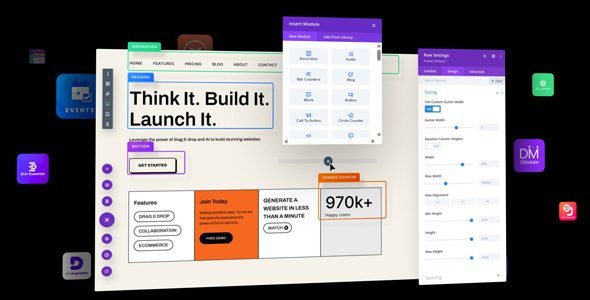
If you’re a WordPress user who has been paying attention to the page builder space, you already know that Divi by Elegant Themes is one of the most powerful and widely used website builders in the world. With the release of Divi 5.5.1 alongside the legacy Divi 4.27.6, 2025 has become a landmark year for Divi users everywhere. Whether you’re building your first website or migrating an existing one, this guide covers everything you need to know.
What Is Divi? A Quick Overview
Divi is a premium WordPress theme and visual page builder developed by Elegant Themes. It allows users—from beginners to seasoned developers—to build stunning, fully customizable websites without writing a single line of code. Its drag-and-drop Visual Builder, combined with a rich library of pre-built layouts and modules, has made Divi a go-to tool for millions of websites globally.
The Divi ecosystem now includes:
- Divi (core theme + builder)
- Divi AI (AI-powered content, images, and code generation)
- Divi Cloud (cloud storage for layouts and templates)
- Divi Dash (multi-site management)
- Divi Quick Sites (automated website creation)
Divi 5.5.1 – What’s New in the Latest Update?
Divi 5.5.1 is the latest refinement of the all-new Divi 5 architecture, which was officially launched on February 26, 2026 after an extended alpha and beta testing period. With version 5.5, the team at Elegant Themes delivered 58 bug fixes and improvements, along with major new features.
Key Features in Divi 5.5
1. Aspect Ratio & Framing Controls
One of the most exciting additions in Divi 5.5 is the new Aspect Ratio and Framing & Image Preset system. These tools give designers pixel-perfect control over how images are sized and displayed across different devices, without relying on custom CSS.
2. Image Option Group Presets
Elegant Themes finally enabled option presets for the image option group, meaning you can now manage the style of all images in every Divi module using Divi’s powerful preset-based design system. This is a huge quality-of-life improvement for anyone maintaining consistent design across large websites.
3. Sizing Variable & Colorscheme Generators
Divi 5.5 builds upon the Sizing Variable & Colorscheme Generators introduced in Divi 5.4. These generators allow you to automatically spin up an entire sizing and color variable system in a few clicks—no need to manually define CSS variables or learn the clamp() function. It’s beginner-friendly but also fully customizable for CSS experts.
4. SVG Module
A brand-new SVG module was introduced, allowing editors to render and style sanitized inline SVGs from code or uploaded sources, with consistent behavior between the Visual Builder and the front-end.
5. AI Agent Enhancements
The Divi AI Agent received significant upgrades, including:
- A stop button to cancel in-progress AI responses during streaming
- Browser-side AI Agent checkpoint persistence
- New AI Agent canvas tools for discovering, creating, switching, and managing canvases through natural-language workflows
- AI tools for creating, updating, and publishing pages
6. Contact Form 7 Module
A brand-new Contact Form 7 module was added, letting you render and style CF7 forms using Divi’s full design suite, including the powerful preset system.
7. Bug Fixes Galore
Divi 5.5.1 includes dozens of targeted fixes, including:
- Fixed PHP 8 fatal error with certain third-party plugins
- Resolved Constant Contact API v3 OAuth 2.0 authentication issues with automatic token refresh
- Fixed the Divi Library “Layout Type” dropdown for WordPress 7.0 compatibility
- Fixed Theme Customizer preview for global row height
- Fixed Contact Form submit button sizing behavior
Divi 4.27.6 – Keeping the Legacy Version Alive
While Divi 5 is the future, Elegant Themes continues to support Divi 4 for users who aren’t yet ready to migrate. Divi 4.27.6 is the latest release in the legacy branch, focusing on stability, security, and compatibility.
Elegant Themes has committed to supporting Divi 4 for at least 12 more months with essential security and compatibility updates, meaning your existing Divi 4 sites are safe and will continue functioning exactly as they do today.
This dual-track release strategy (5.5.1 + 4.27.6) gives every type of Divi user a clear path forward—whether they’re ready to embrace Divi 5’s modern architecture or prefer to stay on the proven Divi 4 foundation for now.
Why Divi 5 Is a Game-Changer for WordPress
Blazing Performance Improvements
Divi 5’s complete architectural overhaul delivers dramatic performance improvements. Independent testing shows:
- PageSpeed scores: Divi 5 scores 99 on mobile and a perfect 100 on desktop (vs. Divi 4’s score of 84)
- Page load time: Divi 5 loads in 1.3 seconds (vs. Divi 4’s 2.6 seconds on mobile)
- HTTP requests: Only 20 HTTP requests compared to Divi 4’s 39
- GTmetrix: 96% overall performance score
These numbers aren’t just impressive for a page builder—they’re impressive for any WordPress website.
The Visual-First Design System
One of the most revolutionary aspects of Divi 5 is its approach to building a design framework without writing CSS. Divi 5 replaces traditional CSS variables with powerful visual tools:
- Design Variables – Define global values (colors, sizing, typography) that flow through your entire site
- Option Group Presets – Save reusable style groups (borders, spacing, shadows) and apply them with one click
- Element Presets – Save entire module styles and update them globally, similar to CSS mixins
This means you can build a cohesive, professional design system visually—no CSS preprocessor required. If you later change a Design Variable, every element using that variable updates automatically across the entire site.
Complete Site Editing (CSE)
Introduced in Divi 5.1, Complete Site Editing lets you edit your header, footer, body layouts, and page content all within a single, unified canvas. Unlike Elementor’s context-switching approach, Divi 5 treats your entire site as one continuous editing experience.
Nested & Stackable Presets
Divi 5’s preset system is widely considered the most powerful class-based design system of any WordPress page builder. Presets in Divi 5 are stackable, nestable global components—you can nest option presets inside other option presets, similar to how CSS preprocessors work with mixins.
Divi AI Integration
Divi 5 brings Divi AI directly into the builder experience. You can:
- Generate entire page layouts from a text prompt
- Write and edit content with AI assistance
- Generate images on-demand
- Write custom code fine-tuned on the Divi module codebase
- Use the AI Agent to perform multi-step tasks through natural language
Backward Compatibility
Divi 5 is designed to work alongside Divi 4. When it detects legacy content or third-party extensions that haven’t been updated yet, it automatically lazy-loads the Divi 4 framework to keep those pages running. This means you can upgrade without fear of breaking your website.
How to Migrate from Divi 4 to Divi 5
Ready to make the switch? Here’s a quick overview of the migration process:
- Update everything first – Make sure WordPress core, Divi 4, and all related plugins are on their latest stable versions before migrating.
- Check third-party extensions – Many Divi marketplace plugins now have Divi 5-compatible versions. Any that haven’t been updated will still function via backward-compatibility mode, but won’t get the full performance benefit.
- Back up your site – Create a full backup or use a staging environment before proceeding.
- Run the Divi 5 Migrator – Navigate to Divi > Divi 5 Migrator in your WordPress dashboard. It will automatically scan your site for compatibility issues, flagging items with a blue checkmark (fully compatible) or orange warning (needs backward-compat mode).
- Review the report – For any flagged items, you’ll see exactly which modules or features are causing the issue. There’s no rush—you can migrate in stages.
Server requirements for Divi 5:
- PHP 7.4 or higher (8.0+ recommended)
- MySQL 5.7+ or MariaDB 10.2+
- PHP Memory Limit: 128M
- WordPress 5.3 or higher
Divi 5 vs. Competitors
Divi 5 has narrowed the gap significantly with builders like Elementor, Bricks, and others. Here’s how it compares:
| Feature | Divi 5 | Elementor | Bricks |
|---|---|---|---|
| PageSpeed (Mobile) | 99 | Varies | Good |
| Complete Site Editing | ✅ Unified Canvas | Partial (context switching) | ✅ |
| Design Variables | ✅ Visual | Limited | CSS-based |
| Nested Presets | ✅ | ❌ | Limited |
| AI Integration | ✅ Native | Add-on | Limited |
| WooCommerce Modules | ✅ | ✅ | ✅ |
| Pricing (Annual) | $89/yr | ~$99/yr | ~$79/yr |
| Lifetime Option | $249 | ❌ | $149 |
Divi Pricing in 2025
Divi offers transparent, competitive pricing with two main plans:
- Yearly Access – $89/year (includes Divi, Divi Dash, and 24/7 support)
- Lifetime Purchase – $249 one-time payment (unlimited websites, lifetime updates)
- Divi Pro (Annual) – $277/year (adds Divi AI, Divi Cloud, and VIP support)
- Divi Pro (Lifetime) – $297 one-time payment
All plans come with a 30-day money-back guarantee, no questions asked, and cover unlimited website usage with one license.
Is Divi 5 Ready for Production?
Yes. As of February 26, 2026, Divi 5 is officially out of beta. Elegant Themes confirmed: “It’s official; the beta phases have ended, and Divi 5 has arrived!”
Divi 5 is recommended for:
- All new websites being built from scratch
- Existing Divi 4 sites that have completed a successful migration check
If you’re building a brand-new site in 2025 or 2026, there’s no reason not to start with Divi 5. It’s faster, more flexible, and the future of the platform.
Download Divi WordPress Theme
Note: If you are having trouble with Divi WordPress Theme Free Download Latest Version, try to disable AD blocking for the site or try another Web Browser. If disabling AD blocker or change Web Browser not help to you please contact us.
Final Verdict: Should You Upgrade to Divi 5.5.1?
Absolutely. Divi 5.5.1 represents the most polished and feature-rich version of Divi ever released. With a complete architectural rebuild that delivers near-perfect PageSpeed scores, an innovative visual design system, AI-powered tools, Complete Site Editing, and weekly updates, Divi 5 is genuinely the essential site building framework for WordPress in 2025 and beyond.
Whether you’re a freelancer building client sites, an agency managing dozens of WordPress installations, or a business owner managing your own website, Divi 5.5.1 + 4.27.6 gives you the tools you need to build fast, beautiful, and maintainable WordPress websites.